Condition monitoring software for mines and plants
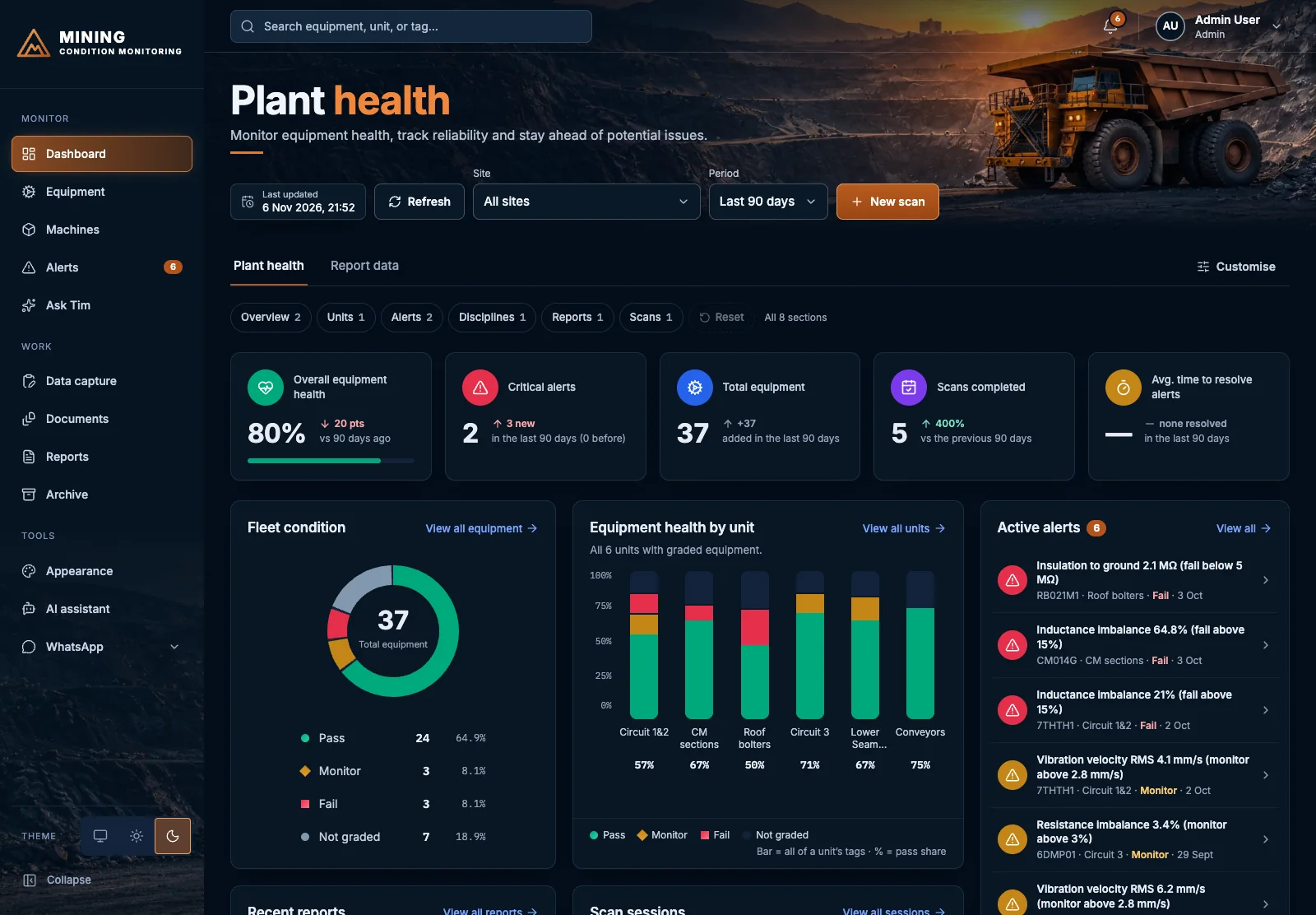
One system for the motor circuit, vibration, oil and thermal readings from your mine or plant. Each reading is graded pass, monitor or fail against limits you set for that type of equipment, so your maintenance team sees a developing problem before the machine stops.
What it monitors
The four kinds of reading maintenance teams already take, brought together so one machine's condition is in one place.
Motor circuit analysis
MCA readings such as insulation to ground, resistance and inductance balance, graded against the limits for each motor type.
Vibration
Vibration velocity readings at each measurement point, checked against the limits for that type of equipment.
Oil analysis
Oil results from your lab, including reports imported from PDF in the layouts we support.
Thermal
Thermal readings kept alongside the rest of the machine's history.
Every reading graded pass, monitor or fail
You set the monitor and fail limits for each equipment type. The platform checks every new reading against them, so nobody has to scan a spreadsheet for the numbers that matter.
The reading is inside its limits. Nothing to do.
The reading has crossed its monitor limit. An alert is raised so the machine is watched more closely.
The reading has crossed its fail limit. An alert is raised for action.
Equipment with no reading or no limit yet shows as not graded, so gaps are visible too.
Alerts that reach the right people
Alerts are raised automatically when a reading crosses its limit, and you can see how long each one has been open against your target.
- In the app and by email. Every alert appears on the dashboard and is emailed to the people you choose.
- On WhatsApp, if you want it. Alerts can go to a technician's phone from your own business number. Set up per client.
- Acknowledge and resolve. Technicians acknowledge an alert, and the dashboard shows how long alerts stay unresolved.
Reports and records
Readings go in the way your team already works, and come out as reports you can give to a client.
- Capture forms and file import. Enter readings on a form or import them from CSV or Excel.
- Import PDF reports. Oil, motor circuit and vibration reports in supported layouts are read into the platform, so nothing is retyped.
- Client-ready PDF reports. Produce a report for a machine, a unit or a site.
Built for sites, contractors and clients
Roles and sites
Administrators, technicians and client viewers each get their own login. A client viewer sees only the sites they are given.
On the phone
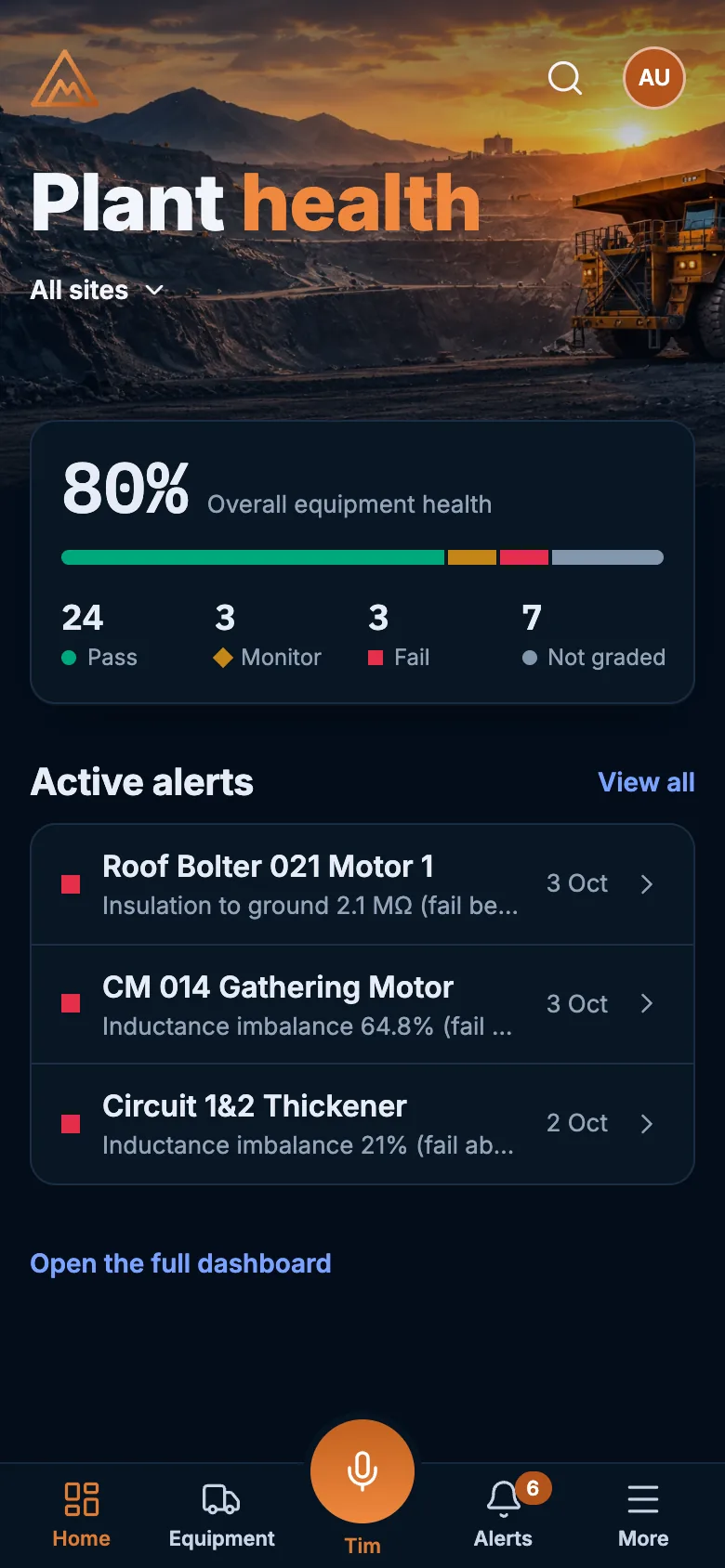
On a phone the platform becomes an app, with a plant overview, alerts and equipment. It installs to the home screen with no app store.
3D machine models
We can build an interactive 3D model of a machine from its manuals, with its parts list and a fault guide, linked to the machine in your registry.
An optional AI assistant can answer questions about your plant in plain language. It stays off until you have agreed where your data may go.
Questions about mining condition monitoring
What equipment can it monitor?
Any equipment you take motor circuit analysis, vibration, oil or thermal readings on, such as motors, pumps, conveyor drives, thickener drives, vibrating screens and mobile machines. You define the equipment types and the limits for each.
Do I need new sensors or hardware?
No. It works with the readings you already collect, entered on a form, imported from a CSV or Excel file, or read from a supported PDF report. It does not replace your instruments.
Can I use my existing oil, MCA and vibration reports?
Yes, for the report layouts we support. Upload the PDF and the readings are imported, so nobody retypes them. Ask us about other layouts.
Who can see our data?
Everyone signs in with their own account, and what they can see and do depends on their role. A client viewer sees only the sites they are given. Read how ProboIT handles security and privacy on our security page.
How do I see it working?
Email admin@proboit.co.za or message us on WhatsApp and we will arrange a demonstration on sample data.
See it on your equipment types
Tell us what you monitor and how you take readings today. We will show you how it would look.